

 TEAM A54
 LIVE · 4.5 Mbps · 60 fps
Basketball live streaming for clubs
Your game. Live.With the score on it.
One iPhone films and streams. A live scoreboard sits on the picture. From the bench, a second phone or laptop runs the score, the clock and the fouls, and fires slow-motion replays. Everything stays on the phone: no account, no cloud.
Free to download · iPhone, iOS 17.6 or later
TEAM A54Q304:07
49TEAM B
The scoreboard as it sits on your stream. Score, fouls, quarter and clock, live.
Score in one tap
+1, +2, +3, fouls and the game clock. Straight onto the picture.
Run it from the bench
Any phone or laptop on the gym Wi-Fi drives the scoreboard.
Slow-motion replay
The last 8 seconds at half speed, fired from the bench.
Made for gym networks
Steady bitrate, adaptive quality, automatic reconnect over Wi-Fi or 5G.
Q1The app
Film the game. The board is on it.
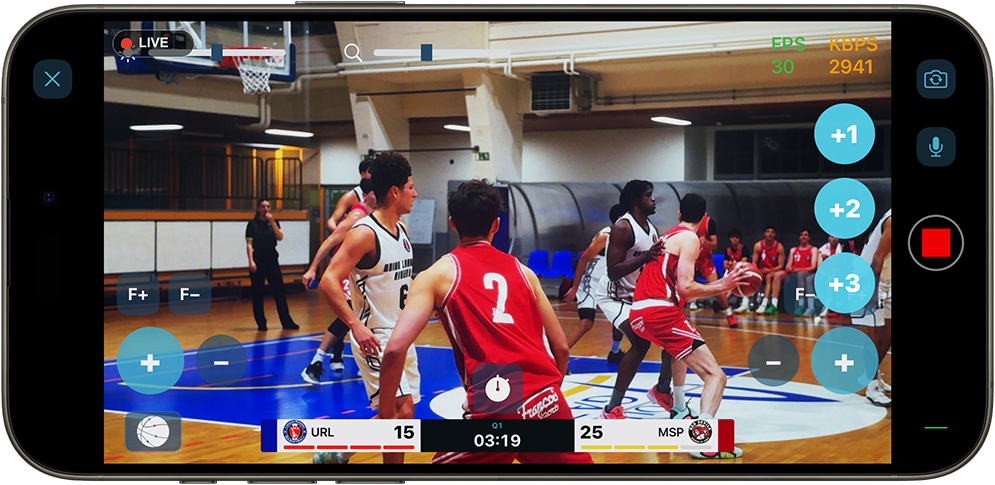
Point the iPhone at the court and go live. The scoreboard is composited onto the picture: team names, colours and crests, score, quarter and game clock. Team fouls count up with a bonus indicator following FIBA and NBA rules, or the US college seven. Switch to national teams and the board shows flags and official three-letter codes for 250 countries.
- Club crests or national flags
- Fouls reset each period, bonus turns red
- Any quarter length, 1 to 60 minutes
Q2Setup
From the car park to live in a few taps
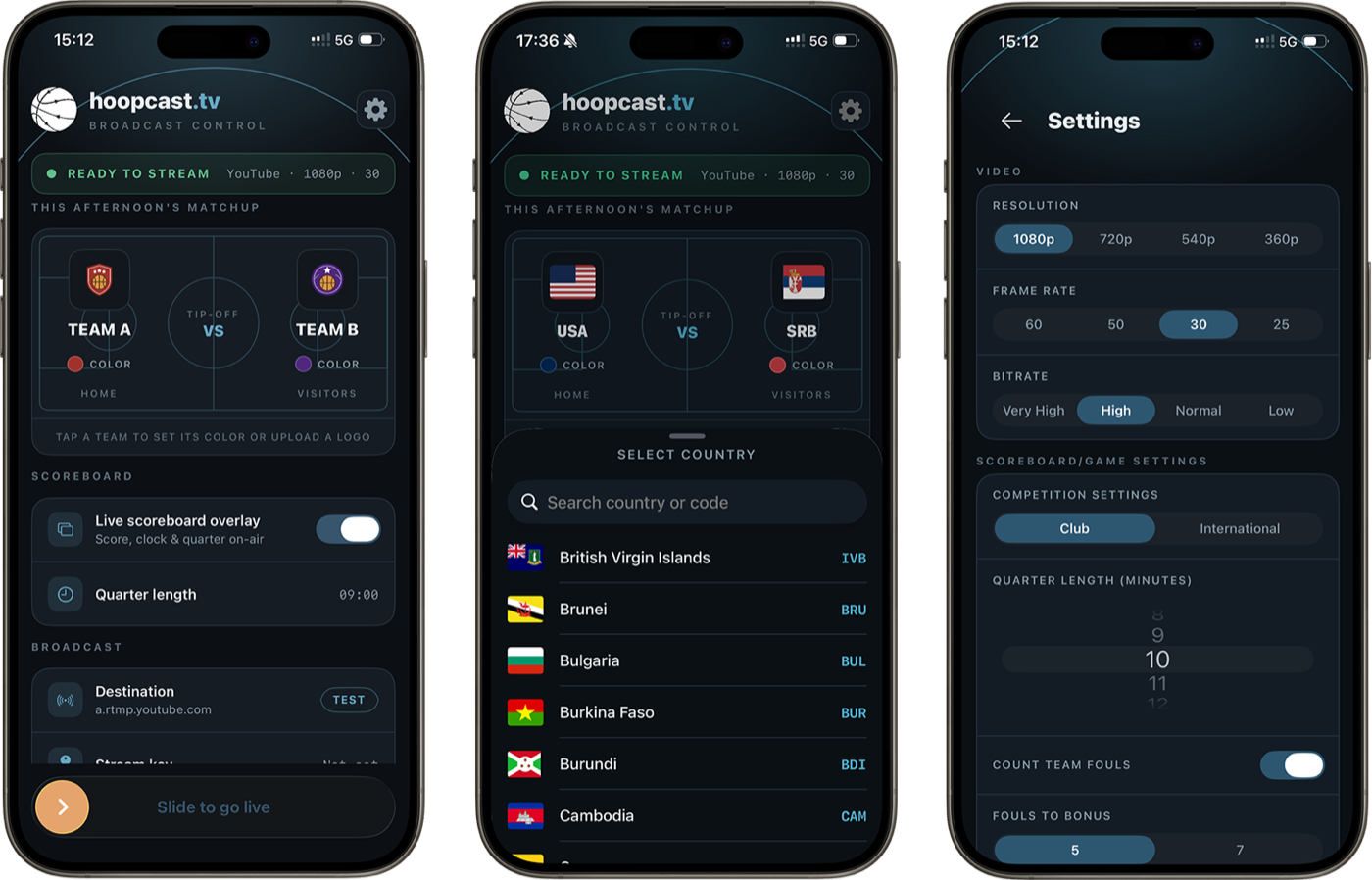
One dark screen holds the whole game: the matchup with crests and colours, your destination and stream key, the video quality. A READY strip tells you when everything is set. Slide, and you are in the Studio.
- YouTube or any RTMP destination, your own channel, your own audience
- 1080p or 720p, 25 to 60 frames per second
- TEST checks your destination before the tip-off
Q3The remote desk
Hand the scoreboard to the bench
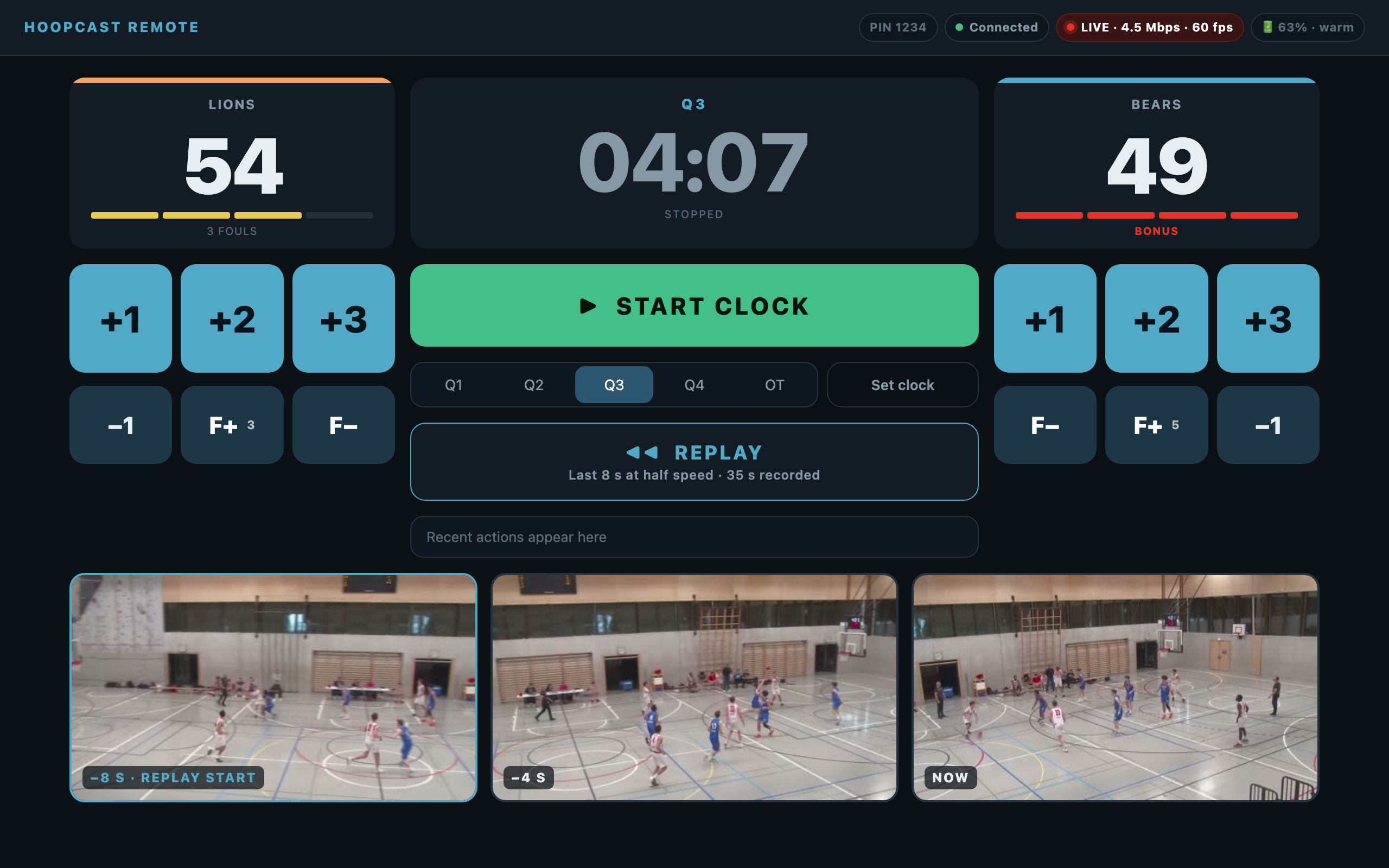
The phone on the tripod films. Someone on the bench opens a web page on their own phone, tablet or laptop, scans a QR code, and runs the game: score, fouls, period, clock. Nobody touches the camera, so nothing shakes and nothing is missed.
- Works in any browser, nothing to install on the second device
- Gym Wi-Fi or the iPhone's own hotspot, no internet needed between the two
- A 4-digit PIN keeps spectators out; every tap can be undone
Q4Instant replay
Slow motion, from the bench
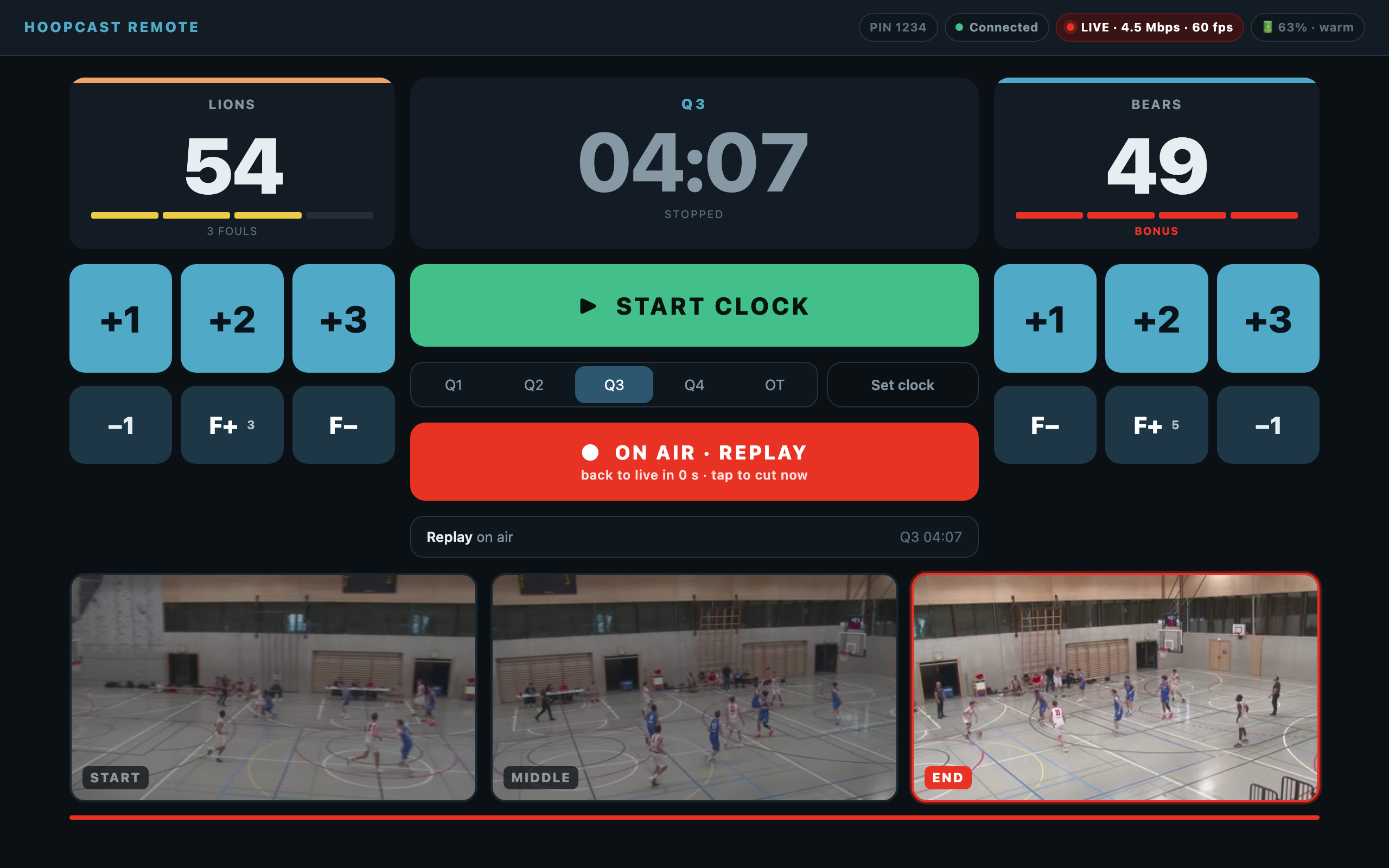
The phone keeps the last 35 seconds of what it films. One tap on the desk puts the last 8 seconds on air at half speed, with a REPLAY badge and the live scoreboard still on top, then cuts back to the game on its own. The person filming keeps their live picture the whole time.
- Three frames on the desk show exactly where the replay will start
- Cut back to live early with a single tap
- The camera's view never leaves the filmer's screen while a replay is on air
How we build it
The phone is the whole production
- 01
No account
Download, set your teams, go live. There is nothing to sign up for.
- 02
No cloud
Your video goes from the phone to your streaming service. Nothing passes through us, nothing is stored by us.
- 03
Honest about networks
Gyms have bad Wi-Fi and crowded cells. The stream holds a steady bitrate, adapts instead of buffering, and reconnects on its own.
- 04
Built around one sport
Basketball rules, basketball rhythm, basketball graphics. Not thirty sports with one board.
How it works
Three steps to the tip-off
- 01
Set the matchup
Names, colours, crests. Or pick two countries and let the flags do it.
- 02
Point it at your channel
Paste the RTMP address and stream key from YouTube or your service. TEST tells you it is reachable.
- 03
Slide to go live
Put the phone on a tripod, hand the desk to the bench, film the game.
A full game, streamed with hoopcast.
Pricing
Free to download, one plan to go on air
Download the app and try it. Putting the scoreboard on air is a monthly subscription, one plan, cancel any time in the App Store.
hoopcast.tv$12.99 / monthHoopcast.tv premium · billed by the App Store in your local currency (CHF 12, €14.99).
Download on the App Store- Live scoreboard on your stream
- Remote desk for the bench
- Slow-motion instant replay
- Club and national-team modes
- 1080p60 streaming to YouTube or RTMP
FAQ
Questions clubs ask
Which iPhone do I need?
Any iPhone running iOS 17.6 or later. For slow-motion replays that look smooth, pick a 50 or 60 frames per second preset; every iPhone from the last few years does that at 1080p. Which of the two depends on the country: 50 fps where mains electricity is 50 Hz (Europe and most of the world), 60 fps where it is 60 Hz (the United States, Canada), so the gym lights do not flicker on your stream.
Where does the stream go?
To your own channel: YouTube or any service that accepts RTMP or RTMPS. You paste the address and stream key, viewers watch where they already watch your club.
Does the second device need the app?
No. The desk is a web page served by the iPhone itself. Any phone, tablet or laptop with a browser joins by scanning a QR code and entering a 4-digit PIN.
What if the gym has no Wi-Fi?
Turn on the iPhone's Personal Hotspot. The desk joins the hotspot, the stream goes out over 5G. The desk connection never needs the internet.
Do you store my video or my data?
No. The video goes from the phone straight to your streaming service. Game records stay on the phone in a folder you can open. There is no account and no analytics.
Does it handle 3x3?
Yes. Set one 10-minute period and the 7-foul rule, which puts a team in the penalty from its seventh team foul, as FIBA 3x3 does.